


Analytics & Monitoring
The Juspay Transactions Analytics dashboard can be utilized to check the performance of UPI QR transactions.
Use Payment Method Subtype filter and select 'UPI_QR' on the Juspay Transactions Analytics Dashboard for reviewing the Volume and SR for UPI QR Code transactions.
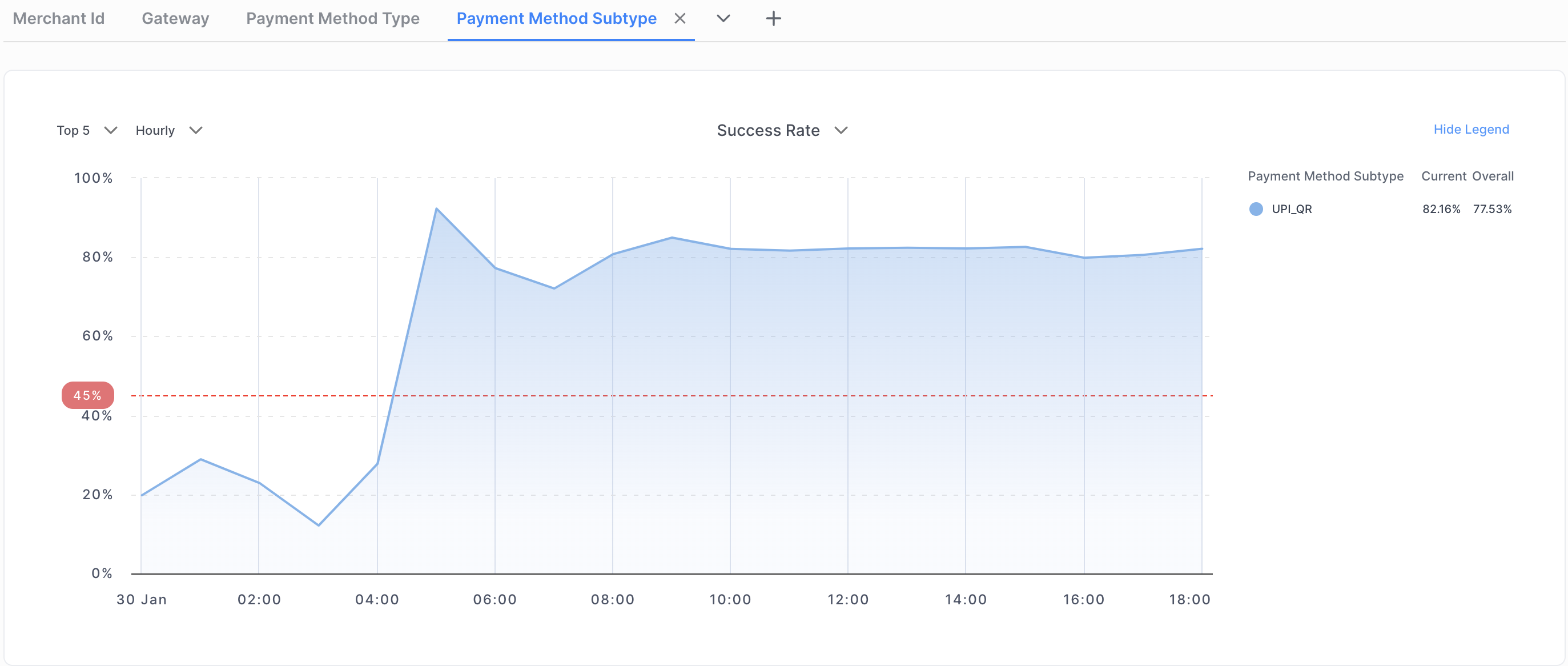
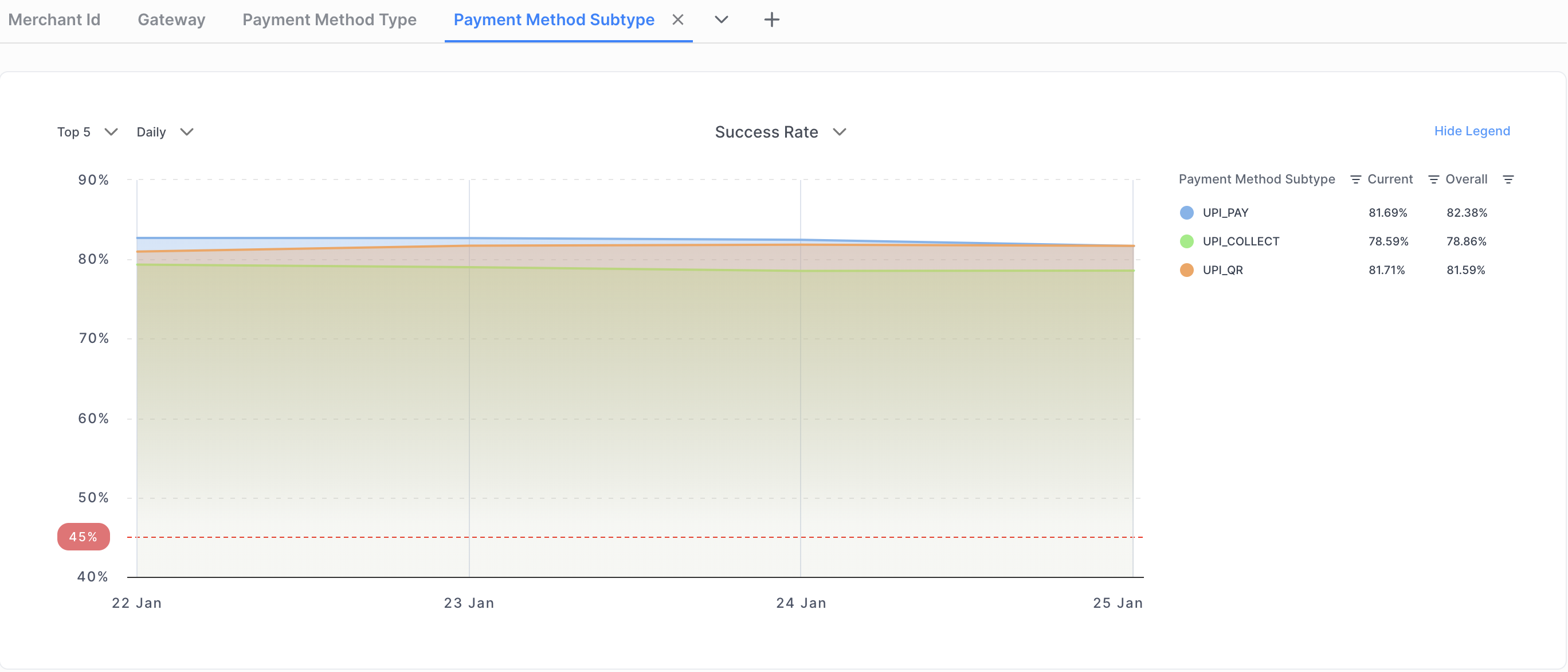
Merchants can utilize the Payment Method type filter and select 'UPI' on the Juspay Transactions Analytics Dashboard and then use the Payment Method Subtype to distinguish between UPI Intent, UPI Collect, and UPI QR Code transactions.
- Have questions?
- Need help? Contact support
- LLM? Read llms.txt
