


Create Mandate (Collect Flow)
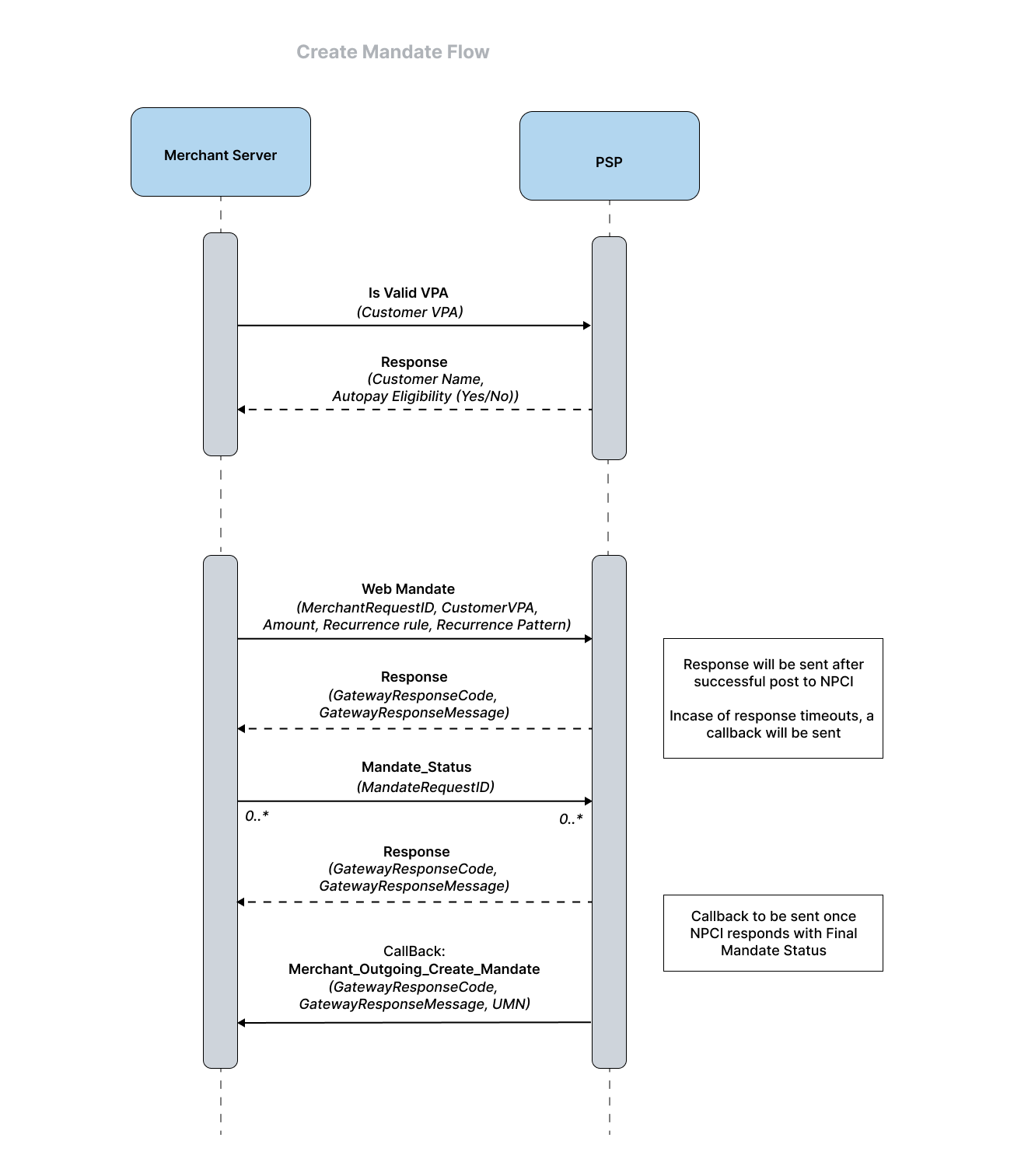
Merchants can initiate the Web Mandate API (Collect flow) once they receive the customer UPI ID/ VPA on their web/mobile interface. On successful initiation of create mandates request to UPI, a response is sent back to the merchant server.
If the customer uses a UPI ID/ VPA , the merchant server should first initiate Verify VPA API to the Juspay PSP, which in turns sends an API to the Payer PSP via the UPI. The Payer PSP will send a response on validity and customer details back to the Juspay PSP through UPI, which inturn is sent to the Merchant server in response.
The Mandate creation request can then be initiated on the merchant application (one-time, recurring, etc.), and sent to Juspay PSP. The Juspay PSP initiates the create mandate request to UPI Switch.
Once the mandate request is sent via the UPI and Payer PSP to the Payer app, the customer is able to view the mandate request, and can choose to authorize or decline the mandate by selecting the debit account and providing the credentials (UPI PIN/biometrics). Approval/decline can be done immediately or within an expiry time frame specified by the Juspay PSP.
If customer does not approve/decline the request within set expiry time, then the merchant server can trigger the Mandate Status API at regular intervals to get a real-time status of the mandate. A response will be sent immediately with the status information.
If approved/declined, UPI responds to the Juspay PSP with the final status of the mandate and the Juspay PSP notifies the merchants on the mandate confirmation through the Create Mandate Callback(type: MERCHANT_OUTGOING_CREATE_MANDATE).
- Have questions?
- Need help? Contact support
- LLM? Read llms.txt
