---
page_title: Analytics & Monitoring
product: EMI
page_source: https://juspay.io/in/docs/emi/docs/standard-emi-suite/analytics--monitoring
llms_txt: https://juspay.io/in/docs/llms.txt
product_llms_txt: https://juspay.io/in/docs/emi/llms.txt
---


# Analytics & Monitoring


The Juspay Transactions Analytics dashboard can be utilized to view the traffic volume and success rate of transactions that were processed through EMI flow.


### **For Standard EMI on Cards:** 


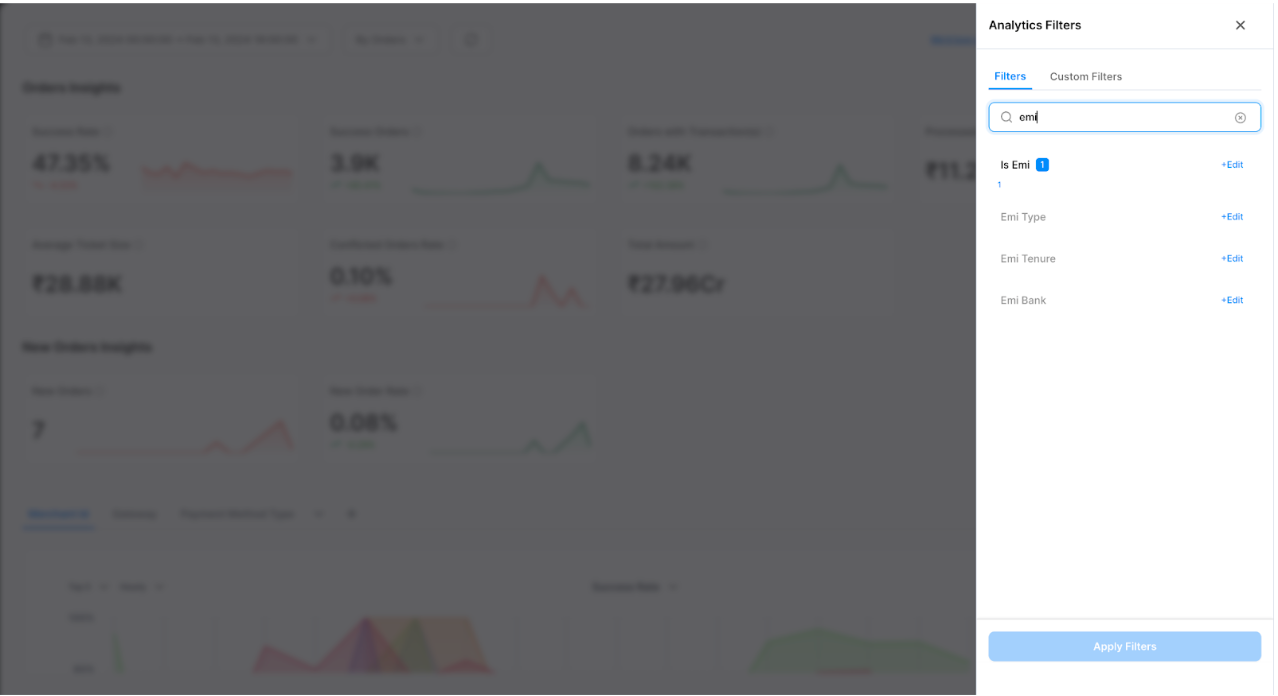
1. Use the dimension `is_emi` to distinguish between Standard EMI and Non EMI transactions
   
   ![Image](https://dth95m2xtyv8v.cloudfront.net/tesseract/assets/emi/EMI.png)
2. Filters can be applied on `EMI Type`, `EMI Tenure` and `EMI Bank` to monitor the EMI performance.
   
   * emi_type - EMI type corresponding to the EMI type selected (i.e STANDARD_EMI)
   * emi_tenure - Tenure corresponding to the EMI plan selected
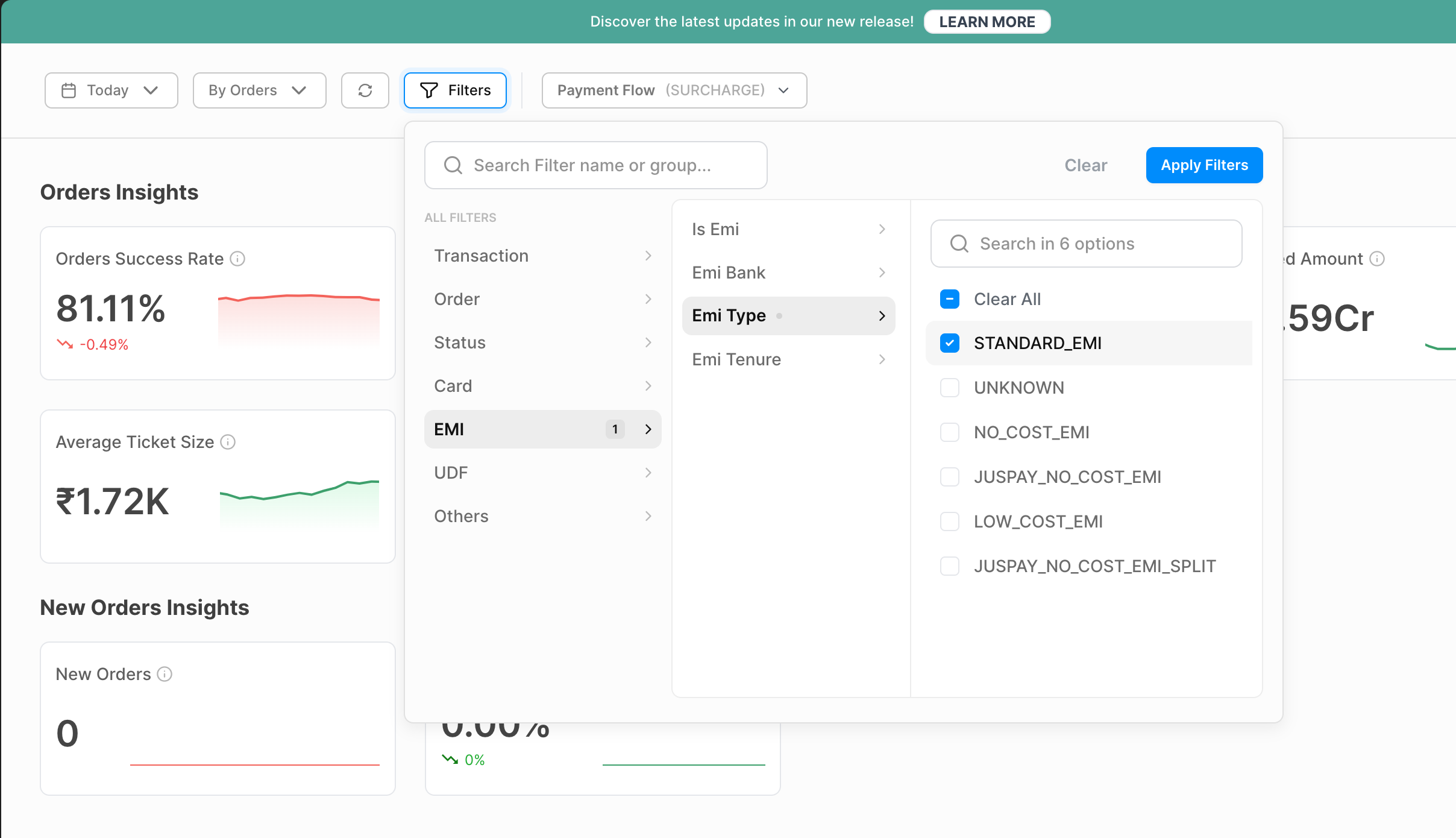
   * emi_bank - Bank code corresponding to the EMI plan selected
   
   ![Image](https://dth95m2xtyv8v.cloudfront.net/tesseract/assets/emi/Screenshot%202024-06-03%20at%202.48.10%E2%80%AFPM-K4qb3.png)


### For Cardless EMI:


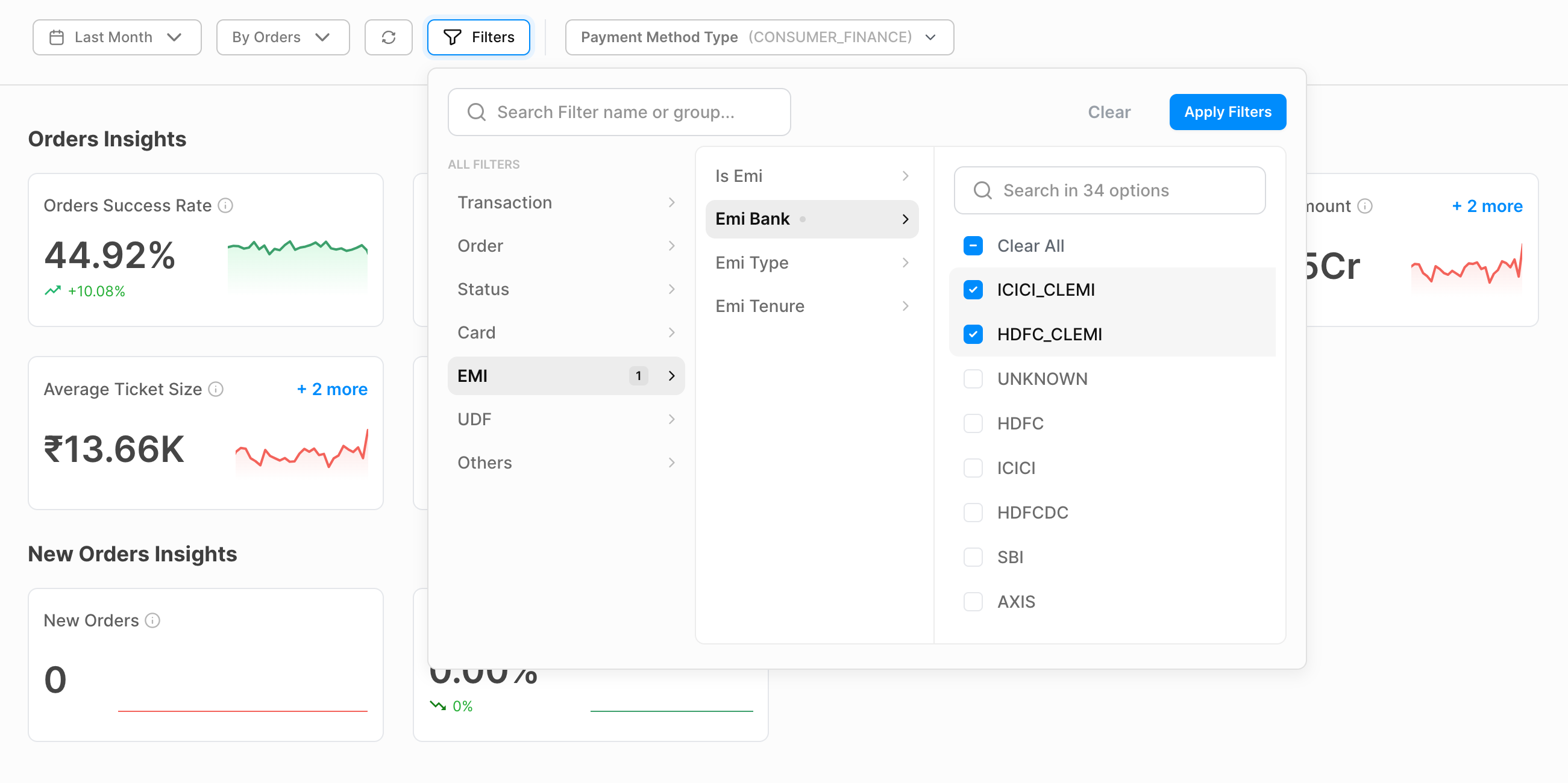
1. Use the cardless `EMI bank` dimension to segregate the cardless EMI transactions to monitor the traffic and performance 
   
   ![Image](https://dth95m2xtyv8v.cloudfront.net/tesseract/assets/emi/Screenshot%202024-05-24%20at%201.02.20%E2%80%AFPM.png)

---

## See Also

- [Troubleshooting & FAQs](https://juspay.io/in/docs/emi/docs/standard-emi-suite/troubleshooting--faqs)
- [Pinelabs Brand EMI](https://juspay.io/in/docs/emi/docs/standard-emi-suite/pinelabs-brand-emi)
