


Offers Flow on Payment Page
Merchant can show Offers on Juspay’s Payment page through any of the following flows-
Coupon Based Offers
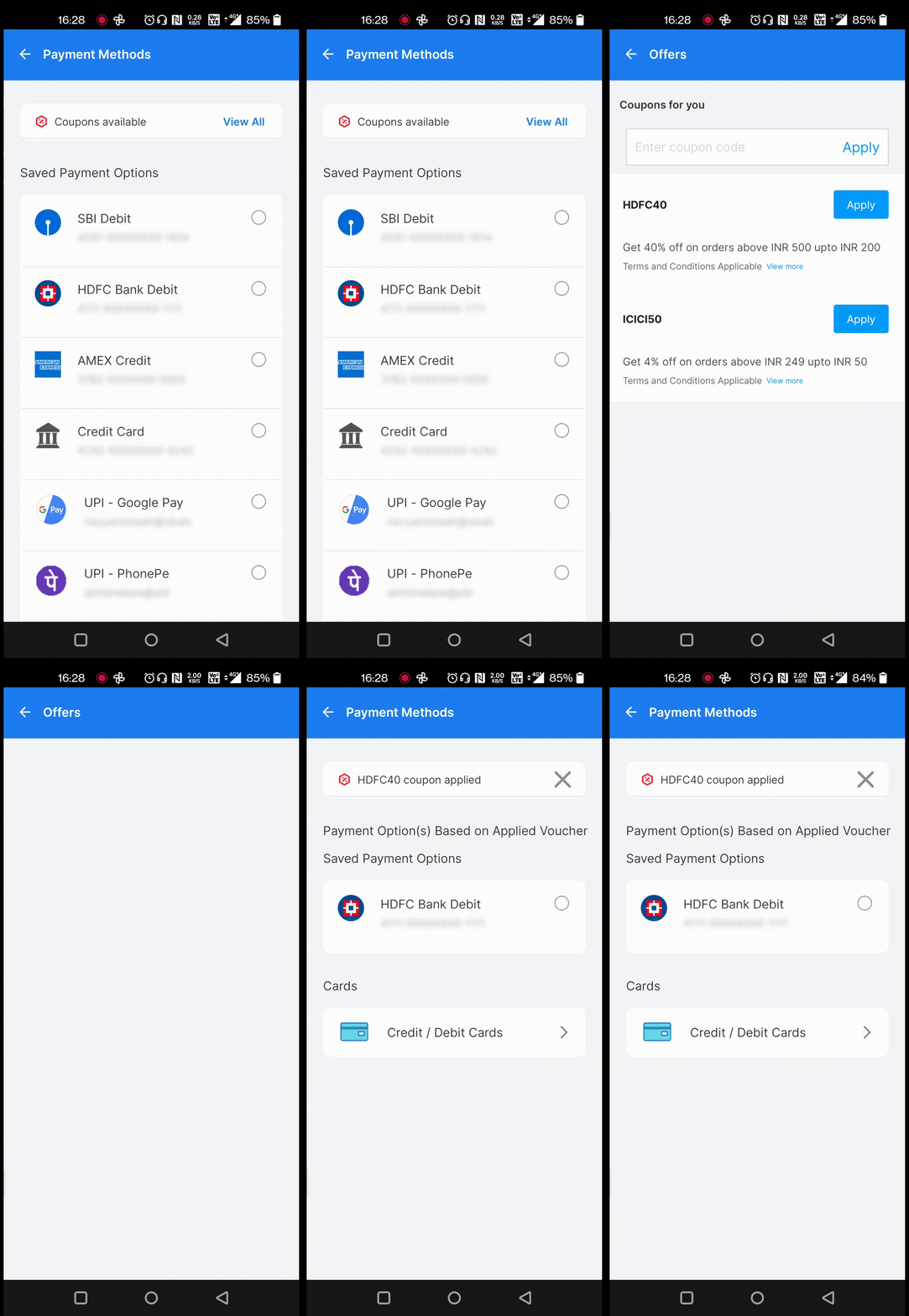
Customers can select from a list of prescribed coupon based offers enabled by you. This is a fixed list of offers visible to all customers. Merchant configure the offer as Coupon based offer = ‘Yes’.
User can view the list of eligible coupons from the Coupons/Offers screen. On selecting an eligible coupon, Discounted amount is shown on the Payment page and only the eligible payment instruments are shown. On making a transaction, Offerid will be passed in /txns and the same offer will be validated in the backend.
On making a transaction, Offer will be applied and the user will paying with the discounted amount.
If the Offer Validation fails, Retry popup will be shown to the users which would have an option to to remove coupon and proceed with a txn or to be redirected to the payment to try a different payment option.
Auto - apply Offers
These offers are automatically applied during checkout with no intervention from the customer.
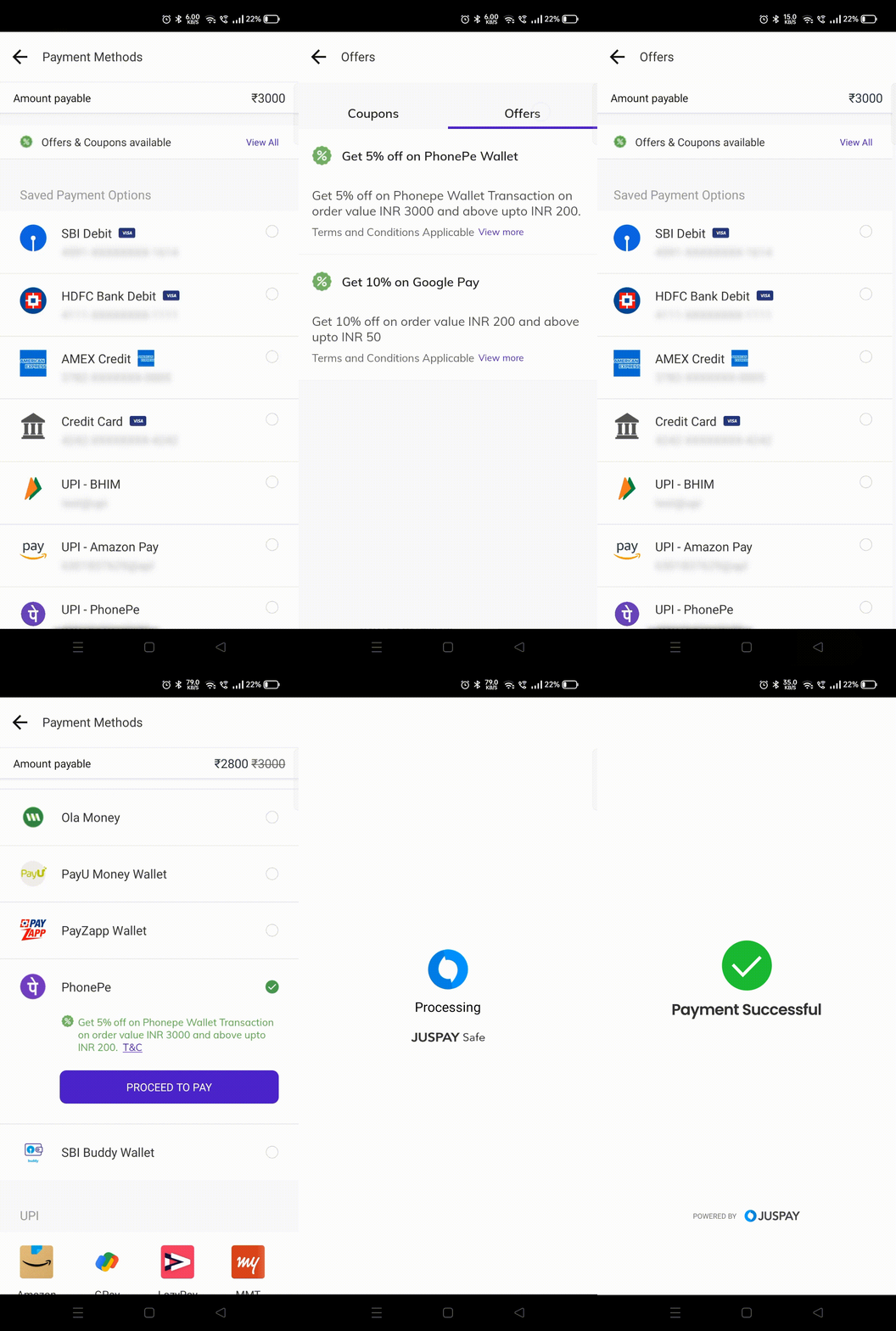
Eligible best offers are shown below the respective payment instrument on the Juspay Payment page. If Coupon/Offers screen is enabled for the merchant, user can also view the list of auto apply offers eligible for them. List of eligible offers are shown on the addcard screen as well
On selecting a payment Instrument with an offer, the Discounted amount is shown on the Payment page and if it’s an instant discount offer, Description text changes to Offer Application text.
On making a transaction with a payment instrument having an offer , Offer will be applied and the user will paying with the discounted amount
If the Offer Validation fails, Retry popup will be shown to the users which would have an option to to remove coupon and proceed with a txn or to be redirected to the payment to try a different payment option.
- Have questions?
- Need help? Contact support
- LLM? Read llms.txt
