


Cashfree
Step 1 - Procure Gateway Credentials
Obtain the merchant credentials from the GOCASHFREE team for Sandbox (testing) and Production (live).
Please find below a sample format of credentials that you can expect from the gateway.
Gocashfree App ID*: 86****************68
Gocashfree Secret Key*: cf******************************31
Transaction note: Payment for UPI Autopay
Mandate Name: This is just a text field that would be shown to users while setting up a mandate.
Gateway Merchant Name:
Disable EMI: If this flag is enabled EMIs will not be processed with this Account
The fields marked * are mandatory and are required to be configured to proceed with the testing. Rest of the fields are optional and only required for specific features/flows.
Step 2 - Dashboard Configuration
Open up the Juspay Portal
Production: https://portal.juspay.in
 (Configuring here will affect your live environment)
Sandbox: https://sandbox.portal.juspay.in
(Dedicated for testing)
Navigate to Payments → PG Control Centre
Select GOCASHFREE under the “Add a Payment Gateway (PG)" section
Select an environment for the payment gateway. If not sure then confirm with GOCASHFREE team whether the credentials provided by them are for testing or production usage
Live Environment: Real money involved, all flows supported
Testing Environment: Simulate payments, only some flows are supported
Gateway Reference ID: For most cases you don’t need this but if you do then refer https://juspay.io/in/docs/hyper-checkout/android/resources/gateway-reference-id
Step 3 - Flag Enablement Email to PG
An email titled “Juspay <> cashfree Feature Eablement for AppID - {Your AppID} (Juspay ID: 123456)“ will be triggered from our dashboard for various flag enablements at PG end.
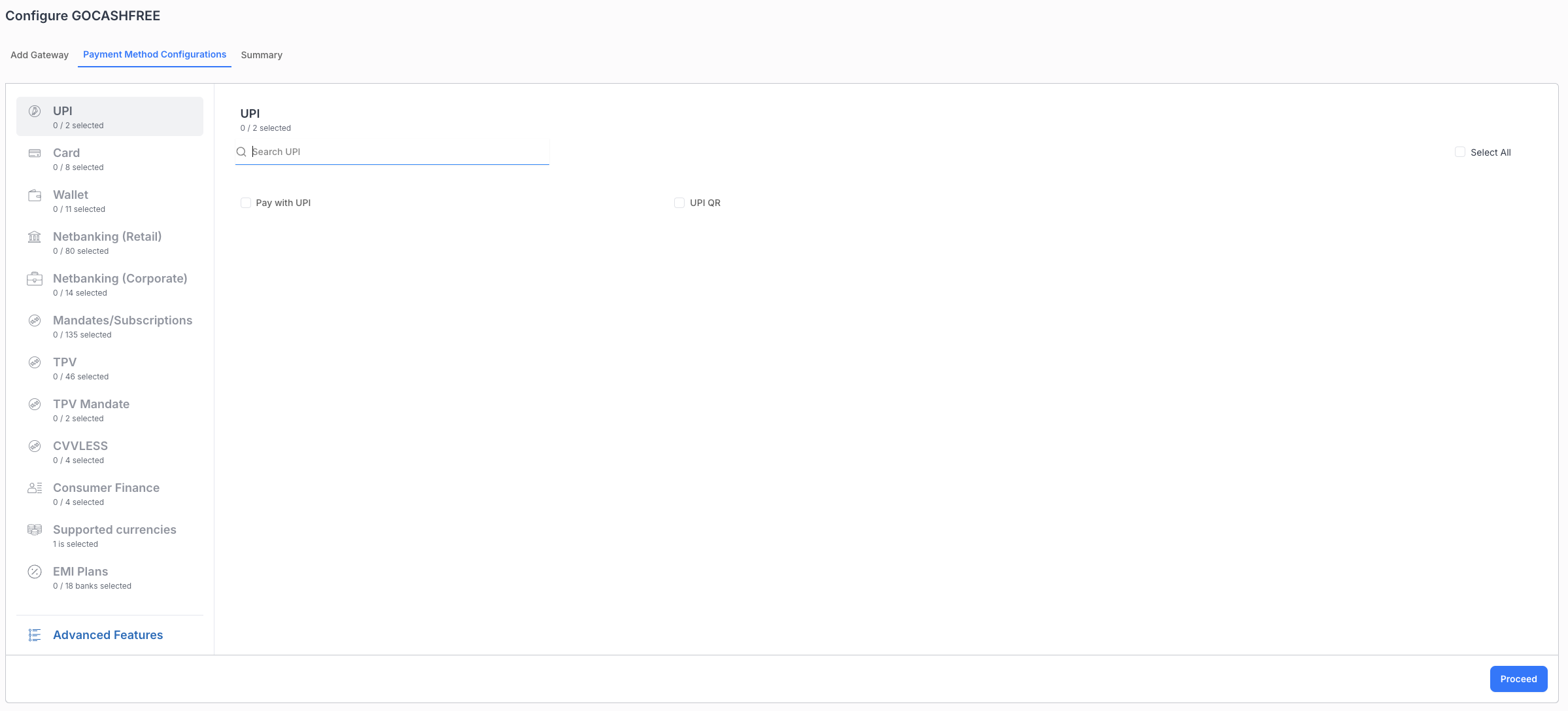
Step 4 - Payment Methods Configuration
Enable the various payment methods like UPI, Card, Wallet etc that are also enabled at PG end.
Step 5 - Advanced Features
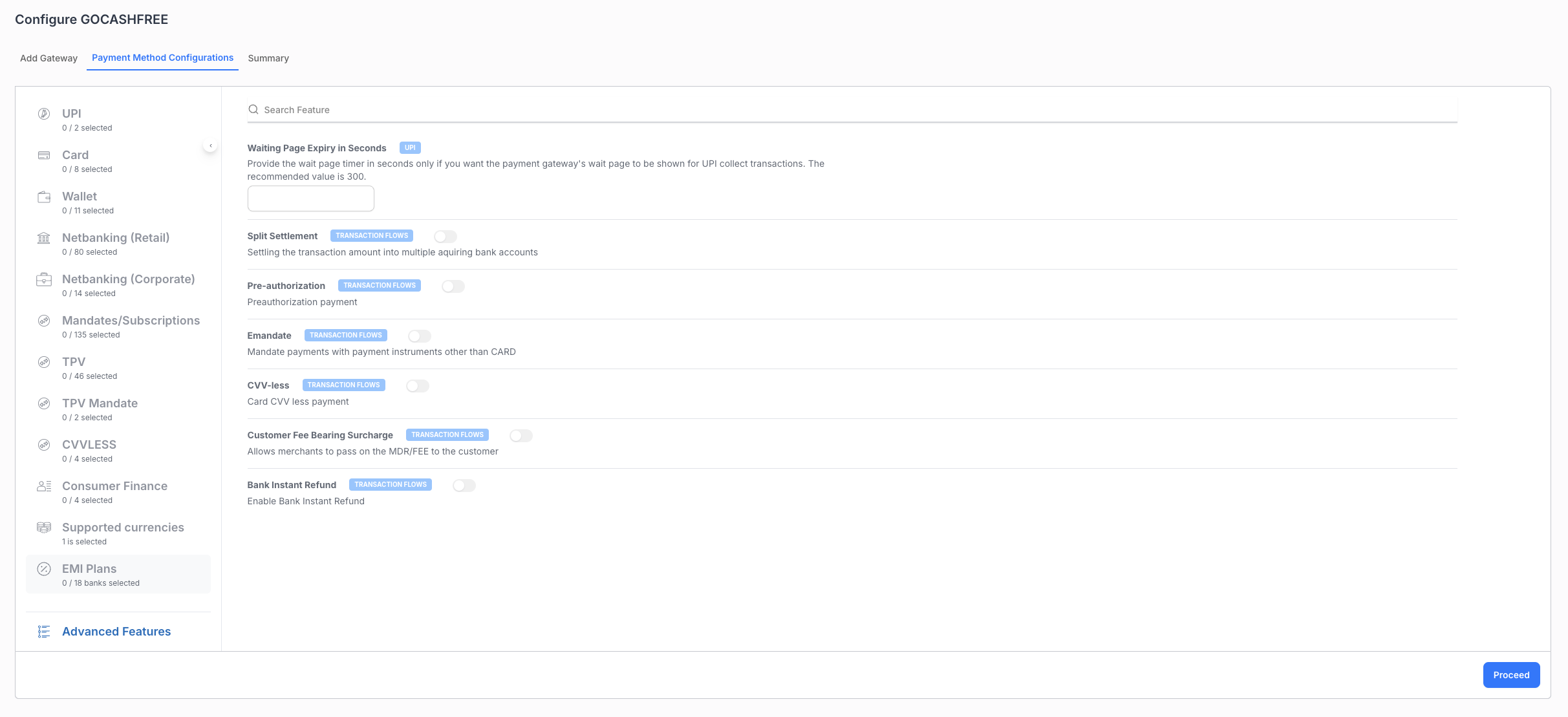
These are various flags/fields that are to be configured for certain features like native otp, cvv less, emandates etc. PFB the list -
Waiting Page Expiry in Seconds: Provide the wait page timer in seconds only if you want the payment gateway's wait page to be shown for UPI collect transactions. The recommended value is 300.
Split Settlement: Enable this flag to settle the transaction amount into multiple acquiring bank accounts
Pre-authorization: Enable this flag to enable pre authorization payments.
Emandate: Enable this flag for mandate payments using instruments other than CARD
CVV-less: Enable this flag to enable cvv less payments
Customer Fee Bearing Surcharge: enabling this flag allows you to pass on the MDR/FEE to the customer
Native OTP: Enabling this flag allows you to enable native otp transactions
Bank Instant Refund: Enabling this flag enables your account to perform Bank instant refunds
Step 6 - Testing
Test all payment flows using the sandbox environment. Ensure that all enabled payment methods work as expected and the callbacks are received correctly.
Step 7 - Go live
Switch your configuration to production credentials on Juspay Dashboard after thorough testing, and inform gateway to enable your production credentials if required.
- Have questions?
- Need help? Contact support
- LLM? Read llms.txt
